
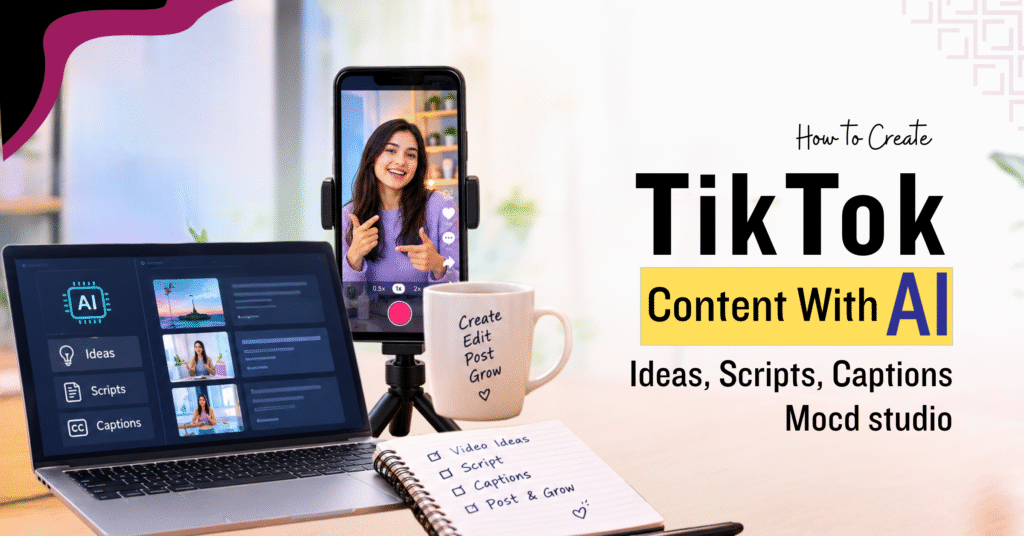

Coming up with an idea, an opening line, a script and a caption for every video often takes longer than filming it. AI can draft each of these pieces in minutes, and this guide shows you how to create TikTok content with AI in seven steps. The examples follow a neighbourhood café that wants to reach local coffee drinkers, so swap in your own business as you read.
Which AI Tools You Need
You do not need a long list of AI tools for TikTok. One chat assistant, such as ChatGPT or Google Gemini, can handle ideas, hooks, scripts and captions. For editing, TikTok’s own editor and CapCut can add captions automatically. Google helps at the start too, because Autocomplete, the People Also Ask box and Google Trends show what people already want to know. Many chat assistants have a free plan, so you can try every step below before paying for anything.
1. A Short Brief
AI answers based on what you tell it, so start every chat with one short paragraph about who you are, who watches, and what you want from the video. Here is the template:
I run [business or account type]. My viewers are [who they are and what they want to know]. My goal for this video is [saves, comments or enquiries]. Write in a [friendly or direct] tone with short sentences.
The café fills it in like this:
I run a neighbourhood café. My viewers are coffee drinkers who live or work nearby and like making drinks at home. My goal for this video is to earn saves and comments. Write in a friendly tone with short sentences.
Save the paragraph and paste it at the start of each new chat. If your goal changes, for example, from saves to enquiries, update the third sentence before your next request.
2. Topics People Already Search
If you ask AI for TikTok video ideas with no direction, you get lists that fit any account. Start with what people are asking instead. Type your topic into Google and read the autocomplete suggestions, then scroll to the People Also Ask box and note the questions. Google Trends can also show whether interest in the topic rises at certain times of the year.
Say the café types “iced coffee at home” and sees questions about why the drink tastes watery and how to make it without a machine. Results differ by location and day, so check your own. Paste the questions you find into your chat:
People ask these questions about iced coffee at home: why does it taste watery, how can I make it without a machine, and how do I stop it turning bitter. Turn each question into a TikTok video idea. For each one, suggest a format (tutorial, myth vs fact or comparison) and what I can show on screen.
AI might return a side-by-side of two glasses for the watery question, a myth-versus-fact video on whether hot coffee ruins ice, and a comparison of two brewing methods. Pick the idea you can film this week and answer from experience. A café team deals with watery drinks every day, so that video comes naturally. If you have not chosen your main topics yet, our guide to TikTok content strategy explains how to set them up. AI cannot see what is trending on TikTok today, so use your For You page for that.
3. Hook Options
The first few seconds decide whether someone keeps watching, so ask for several openers and choose one. Use the idea from step 2:
Write 8 opening lines for a TikTok video about why iced coffee at home tastes watery. Keep each under 12 words and start with a problem or a question. Avoid clichés like “you won’t believe”.
The list might include “Is your iced coffee watery by the third sip?”, “Stop pouring hot coffee straight over ice”, and “Café iced coffee never tastes weak. Here is why.” The first one works because it names the viewer’s problem in the opening words. If you choose a hook that promises a result, such as “I fixed my iced coffee with one change”, it must describe something you did. You can record two hooks for the same video and compare watch time later. Our guide to TikTok algorithm myths vs facts covers four hook frameworks if you want more patterns to try.
4. The Script
Writing a TikTok script does not have to be complicated. A simple structure works well: start with a hook, explain the problem, give the solution, and finish with a short closing line. ChatGPT can help turn this structure into a first draft, especially when you give it clear instructions about the audience, tone and information you want to include.
If you are still getting familiar with ChatGPT, learning how to structure prompts and refine its responses can make this process easier. A ChatGPT beginners course can help you understand those basics before you start using AI for content creation. For example, you could give ChatGPT your hook and explain exactly what you want the script to include:
Write a short TikTok script using the hook “Is your iced coffee watery by the third sip?” Start with the hook, explain the problem in one sentence, give two quick fixes, and end by asking viewers to save the video. Keep the language natural and conversational, and suggest what to show on screen for each part.
The result might look something like this:
Hook: Show a glass of pale iced coffee and say, “Is your iced coffee watery by the third sip?”
Problem: “The ice melts as you drink, which can make normally brewed coffee taste weak.”
Fix 1: Show stronger coffee being poured: “Brew your coffee a little stronger than usual.”
Fix 2: Show coffee ice cubes: “Freeze leftover coffee into ice cubes so they add flavour instead of watering it down.”
Closing: “Save this for your next iced coffee, and tell me how you make yours.”
If you are a ChatGPT beginner creating TikTok content, treat the first draft as a starting point rather than the finished script. Read it aloud and change anything that doesn’t sound natural. You can also add details from your own experience. For example, a café owner might mention that they brew their iced coffee at double strength or keep coffee cubes ready in the freezer. These small details make the content feel more genuine and useful.
You don’t need AI to write a good TikTok script either. If you know your topic, you can simply follow the hook → problem → fix → closing structure yourself. When you do use Gen AI, think of its output as a starting point. If the script feels too long for your video, ask it to keep the hook and one useful tip rather than trying to fit everything into a short video.
5. Caption and Hashtags
TikTok captions with AI work best when the caption uses the same topic words you say and show in the video. Our TikTok SEO guide in the views FAQ explains how TikTok reads speech, on-screen text and captions together. Ask for a few options:
Write 3 caption options for this script. Use the phrase “watery iced coffee” once in a natural sentence, end with a question, and add 3 specific hashtags.
One option might read: “Watery iced coffee usually comes down to ice melting into weak coffee. How do you make yours? #icedcoffeeathome #coffeetips #homebarista”.
Choose the caption that matches your goal, which for the café is comments. Search each hashtag inside TikTok before you use it and check that the top videos match your topic. To keep the tone consistent, paste two of your past captions into the chat and ask AI to write in the same style.
6. Visuals, Voice-Over and Captions
Film the parts that matter to yourself. In the café example, that means the pour, the ice and the finished glass, because viewers trust what they see you do. Turn on automatic captions in TikTok’s editor or CapCut, then read them line by line, since tools often misspell names, brands and local words. AI image tools suit background cards and simple illustrations behind your on-screen text. If you plan to use an AI voice-over, listen to the full recording once, because an unusual pause or stress on the wrong word is easy to miss while editing.
7. Review and Label Before Posting
TikTok requires a label on AI-generated TikTok content that contains realistic images, audio or video. You can apply TikTok’s label option when you post or disclose it in a caption or sticker. A script that AI drafted and you filmed yourself is not AI-generated footage, but read the current wording in TikTok’s Help Center to see how the rule applies to your video.
For the café, a plain AI-made background card needs no label. An AI-generated clip of a busy café counter that does not exist would need one. Before you post, check this list:
- Make sure every fact, price, and name in the script is accurate.
- Avoid making claims about results or experiences you have not personally verified.
- Read the script aloud to make sure it sounds natural.
- Use the main topic naturally in the spoken content, on-screen text, and caption.
- Add a label when the video includes realistic AI-generated content.
AI can help you create content faster, but successful TikTok content also requires knowing your audience, planning what to post, choosing the right format, and checking how your videos perform. These skills become more important when you want to post consistently and build a proper TikTok strategy. A TikTok Marketing Course in Singapore covers these areas along with practical content creation and TikTok marketing.
Common Questions About Creating TikTok Content
Will TikTok reduce the reach of videos made with AI?
TikTok has not said that applying its AI label lowers a video’s reach. Two other things are worth knowing. Viewers can adjust how much AI-generated content appears in their For You feed, and TikTok is testing better detection of accounts that post AI spam. A video you film and explain yourself, with AI used only for drafting, is a different kind of content from a fully AI-generated clip.
Do I need a paid plan to follow these steps?
No. Chat assistants such as ChatGPT and Google Gemini offer free plans, and TikTok’s editor includes automatic captions. Plans and limits change often, so check each tool’s pricing page. A paid plan starts to make sense when you post often enough to reach the free limits.
Is it safe to paste business details into an AI tool?
Avoid pasting anything you would not post publicly, such as customer names, phone numbers, unreleased prices or private files. Describe your business in general terms instead. Check the tool’s privacy settings to see whether your chats can be used to train its models.
Can AI write captions in Mandarin, Malay or Tamil?
Most chat assistants can write in these languages and in casual styles such as Singlish if you ask. Tone and word choice can still sound stiff or slightly off, so ask a fluent speaker to read the caption before you post it.
How many videos should I plan with AI at one time?
Plan ideas and hooks for about a week, and write scripts only for the videos you will film soon. Customer questions and trends change quickly, and a short cycle lets you use what last week’s analytics showed.
Conclusion
AI can make TikTok content creation faster by helping with ideas, hooks, scripts, captions and parts of the editing process. The strongest results still come from combining those tools with your own experience, clear audience understanding and regular review of what performs well. Start with one part of your workflow, test the results, and gradually build AI into the tasks that save you the most time.