
If you are asking what MYOB accounting software is, these five points cover the name, daily use, users, installation types and versions. Search results for MYOB accounting software in Singapore show two names, MYOB and ABSS, along with desktop and cloud options that are easy to mix up. The product now uses the ABSS name in Singapore, so these points will help you tell which product a tutorial or product page describes.
What You Should Know Before Learning MYOB
Before learning MYOB accounting software, it helps to have a basic understanding of accounting and bookkeeping. You should know how to record daily transactions, manage income and expenses, track payments and receipts, and understand basic financial records. It is also useful to be familiar with debits, credits, and the chart of accounts, as these concepts help you understand how transactions are entered and recorded in MYOB.
Once you understand these basics, you can focus on using MYOB accounting software for tasks such as invoicing, recording expenses, payroll, managing customer and supplier transactions, and reconciling bank accounts.
1. What Is MYOB Accounting Software?
MYOB stands for Mind Your Own Business. In Singapore, MYOB South Asia is now known as ABSS (Asian Business Software Solutions). Older guides may still use the MYOB name, so check which name and software version the guide refers to.
MYOB accounting software records business transactions using double-entry bookkeeping. It uses these records to create reports such as profit and loss statements and cash flow reports.
2. What Is MYOB Software Used For in Daily Accounting?
Newcomers who ask what MYOB software is usually want to know the daily tasks it covers. A normal day includes:
- Raising sales invoices
- Entering supplier bills
- Recording payments received and made
- Matching the bank statement with the bank account
Teams choose MYOB software for accounting because quotes, purchase orders, stock records, recurring transactions and tax tracking are all in one company file. For example, a trading company can raise a quote, turn it into an order, issue the invoice and record the customer’s payment in the same program.
MYOB records your financial transactions, but you still need to understand the accounting principles behind them, such as debits, credits, and the chart of accounts. If you need to build these fundamentals first, you can explore the Bookkeeping Course before learning MYOB.
3. Who Uses MYOB Accounting Software in Singapore?
Searches for MYOB accounting software in Singapore and MYOB software Singapore lead to two editions: ABSS Accounting and ABSS Premier. Both are made for small and medium-sized businesses.
- ABSS Accounting suits owner-operators who handle sales and purchases and track receivables, payables and tax.
- ABSS Premier adds time billing, multiple currencies, multi-level pricing, multi-location stock and multi-user access. It supports up to five company files.
If you handle company accounts, ABSS/ MYOB Masterclass Training Course can help you learn tasks such as setting up a company, payroll, recording daily transactions, reconciling bank accounts, and completing year-end closing.
4. Is MYOB Cloud-Based or Desktop Accounting Software?
ABSS Accounting and ABSS Premier are installed on a Windows 10 or 11 computer. They are sold as one-time licence purchases, so they are MYOB desktop accounting software in the original sense. Company files stay on your own computer or server, which makes this the closest match to MYOB offline software. The Word and Excel links work with Office 2010 to 2019, 32-bit.
ABSS Accounting Connect and ABSS Premier Connect are subscription editions. They add cloud-connected services such as Invoice. Now e-invoicing, AI document scanning and a sales and purchase dashboard. These are the closest to MYOB cloud software. However, if you are looking for MYOB online accounting software, note that the program does not run only in a browser. ABSS describes it as desktop software with cloud-connected services.
5. What Are the Current MYOB Software Versions?
Current releases are named ABSS Accounting Connect and ABSS Premier Connect. So the MYOB accounting software is listed on the ABSS download pages, not on older MYOB pages. Version numbers change with each release, so check those pages instead of copying a number from an old tutorial.
MYOB software versions also differ in support status. ABSS lists older on-premise versions as end of lifecycle. Its decommission notice says the activation and confirmation server for legacy versions is disabled from 30 June 2026. If your office uses an older version, check its status on the ABSS decommission page and plan the upgrade with your ABSS partner.
MYOB accounting software / ABSS accounting software: Key Features
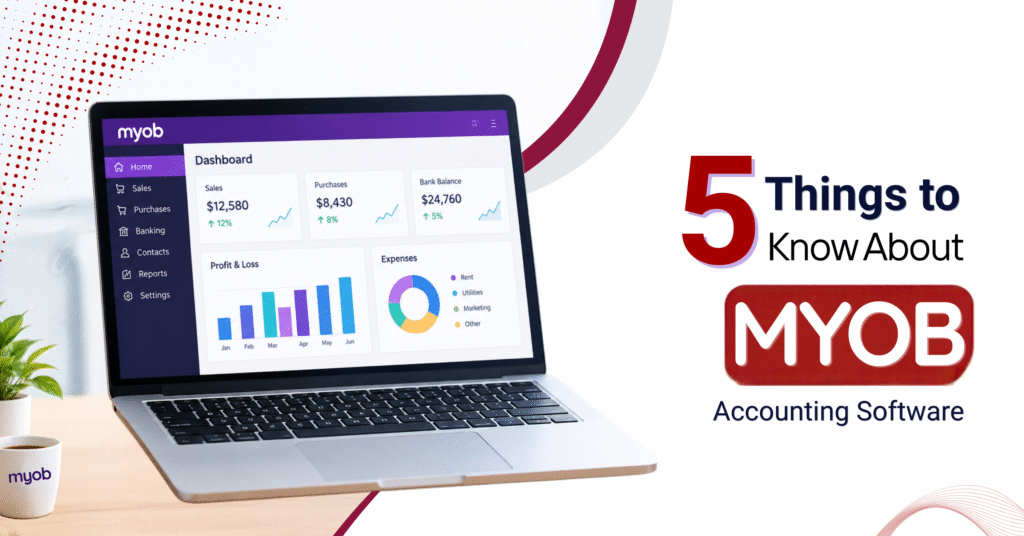
Business Dashboard
MYOB Business gives you a central view of important financial information. You can quickly monitor cash flow, sales, purchases, outstanding invoices, and other key business activities from the dashboard.
Customisable Invoices
Create invoices that match your business style by adding your logo and other branding details. MYOB Business also helps organise tax information, making invoice and GST management easier.
Access Your Business Anywhere
MYOB Business allows you to manage important accounting tasks from different devices. You can work with invoices, expenses, cash flow, and other business information without being tied to a single computer.
MYOB accounting software helps businesses handle everyday accounting tasks such as recording transactions, creating invoices, tracking payments, and reconciling accounts. Basic knowledge of bookkeeping and accounting is helpful, but advanced accounting skills are not required to get started. In Singapore, it is also useful to understand the difference between MYOB and ABSS, as well as the available desktop and cloud-connected versions, before choosing or learning the software.